Information & Guides

How to Shop

A step-by-step guide to ordering technical products, from search to delivery.

BOQ Customer Care

How to Shop

1. Find a product

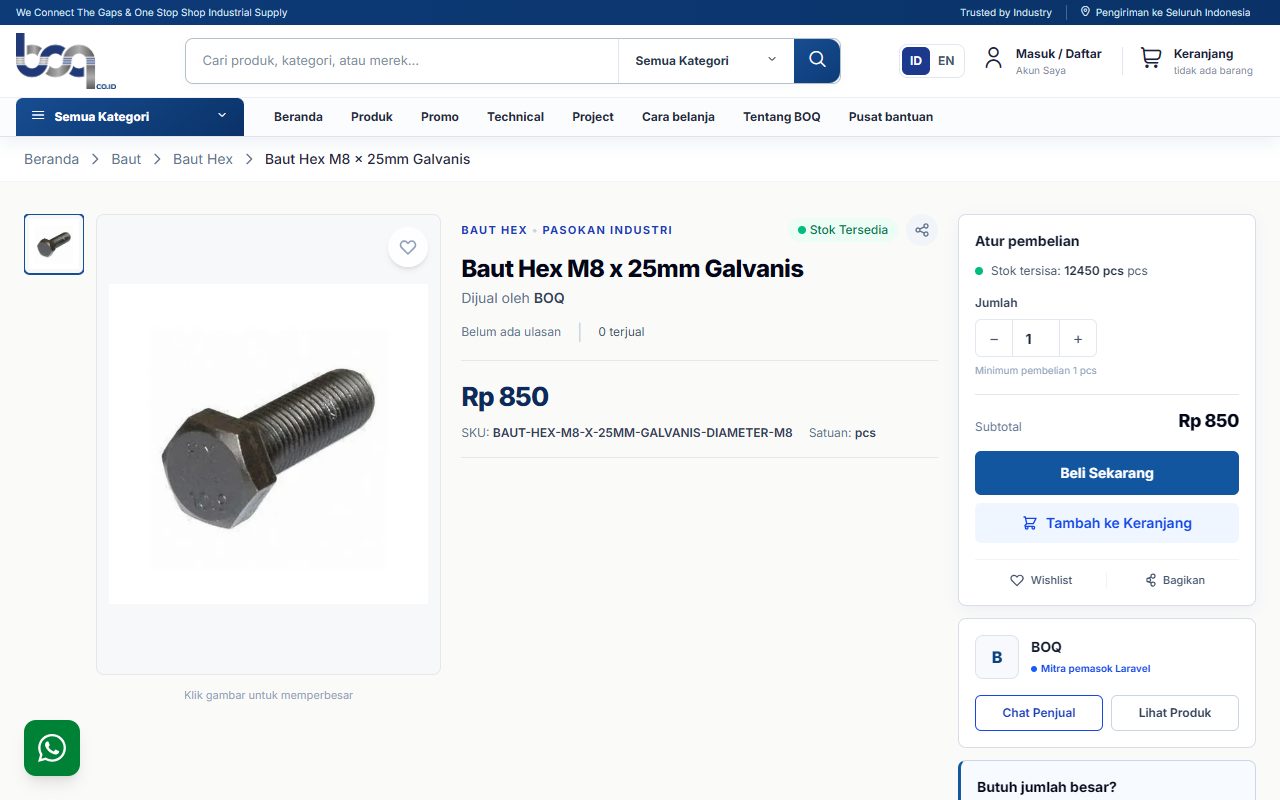
Use search or browse categories, then match the SKU, size, material, variant, and selling unit.

2. Review product details

Confirm the specifications, stock, price, and quantity before adding the product to your cart.

3. Review your cart

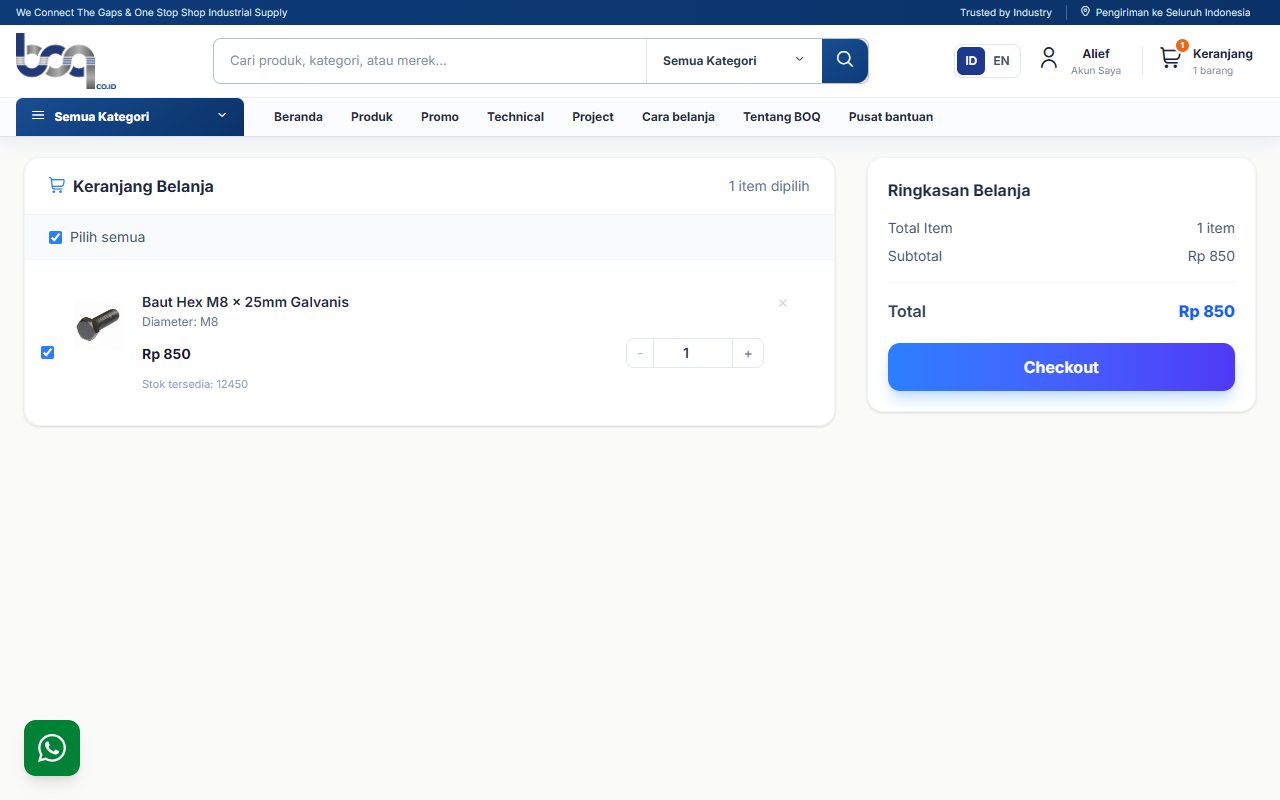
Check the selected products and quantities before continuing to checkout.

4. Complete checkout

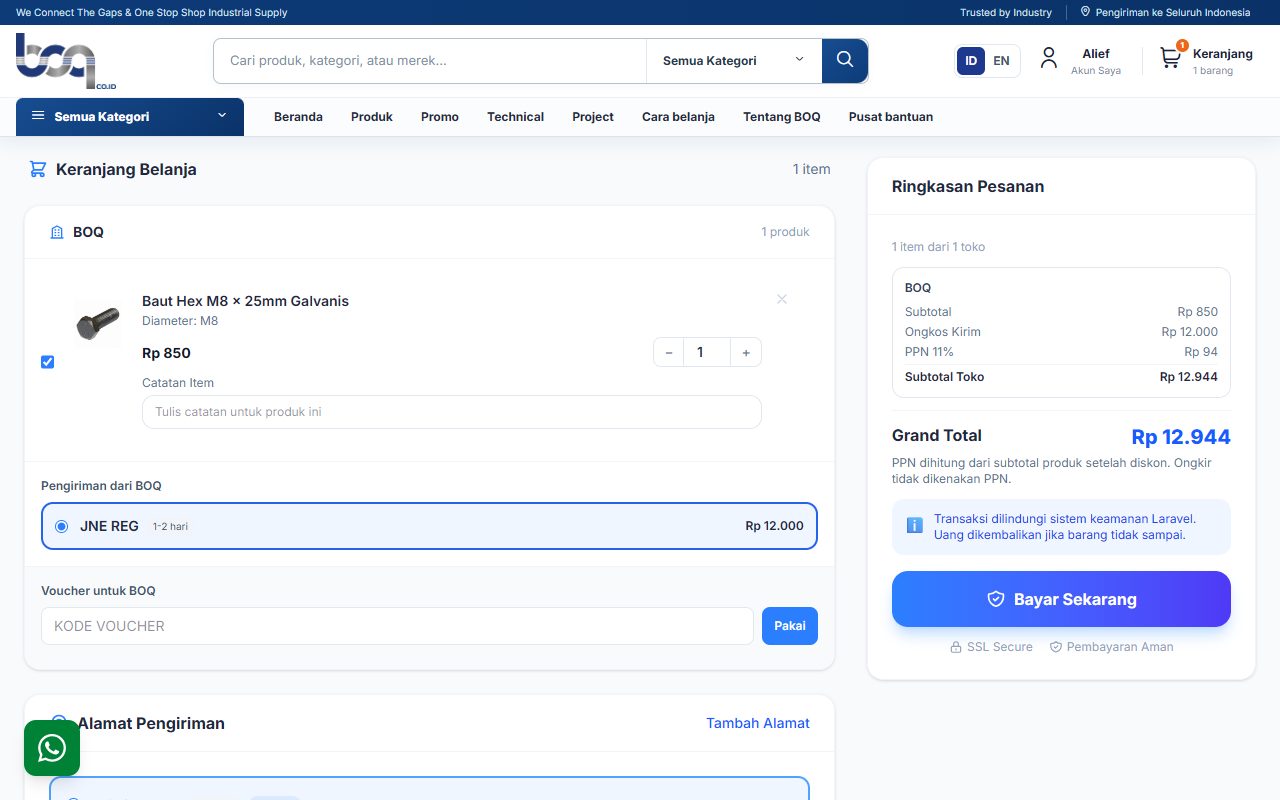
Confirm the address, shipping service, and payment method, then place the order.

5. Order created successfully

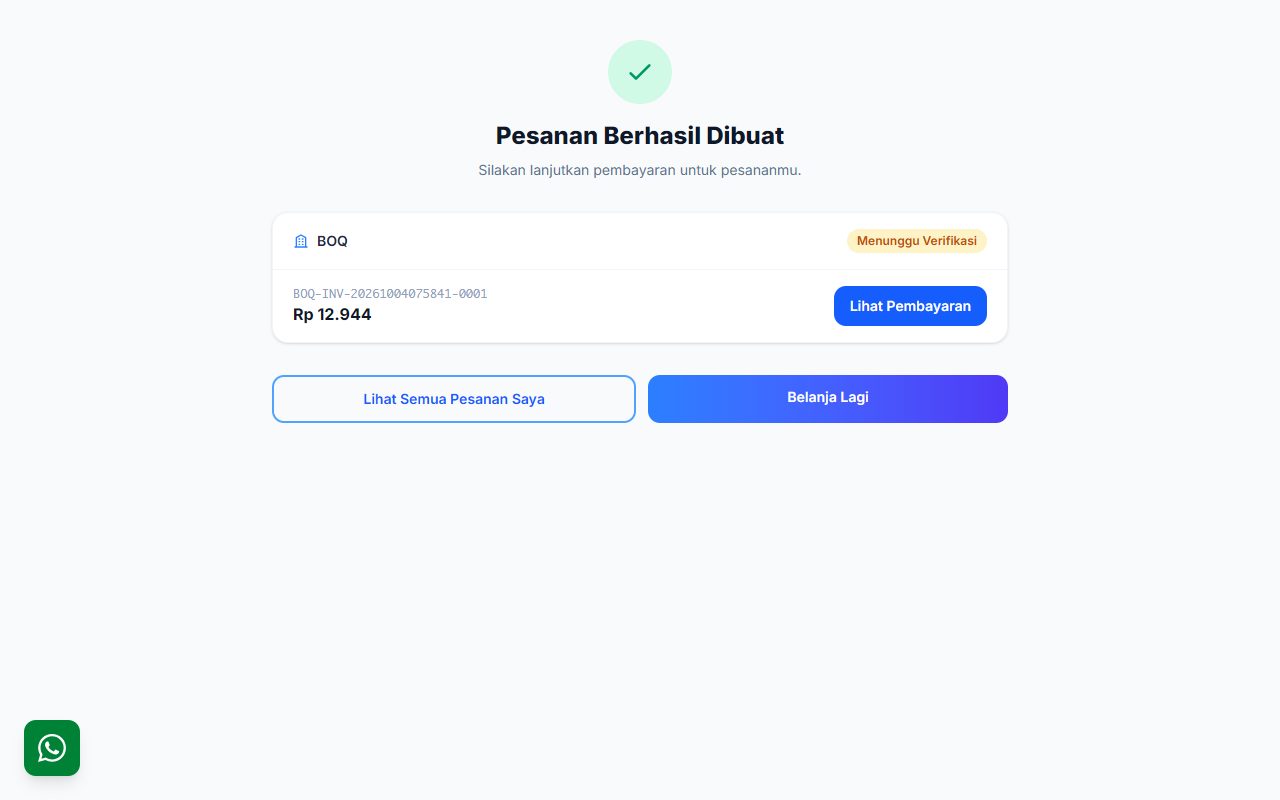
Follow the payment instructions shown and keep your order number.

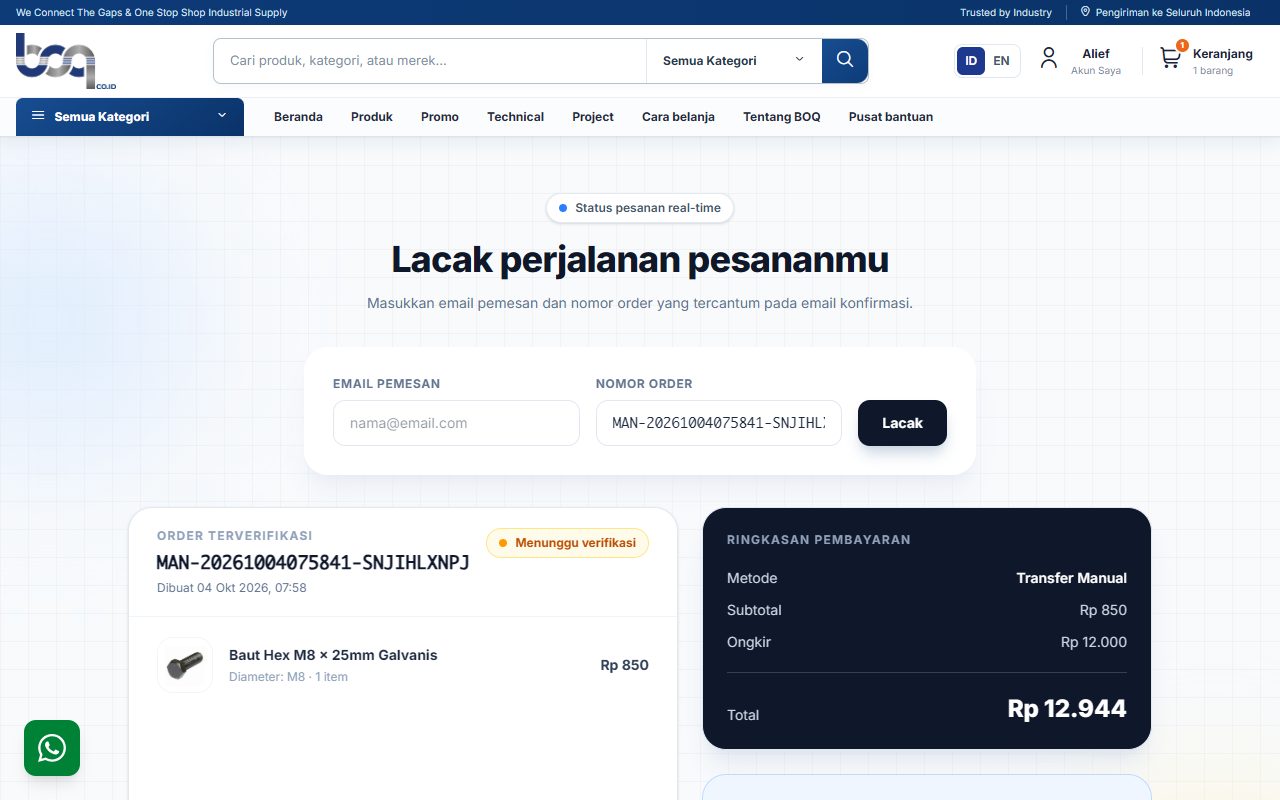
6. Track your order

Use the purchaser email and order number on the Track Order page to view payment and shipping updates.

Visual shopping guide

Follow these six steps from choosing a product until your order is created and ready to track.
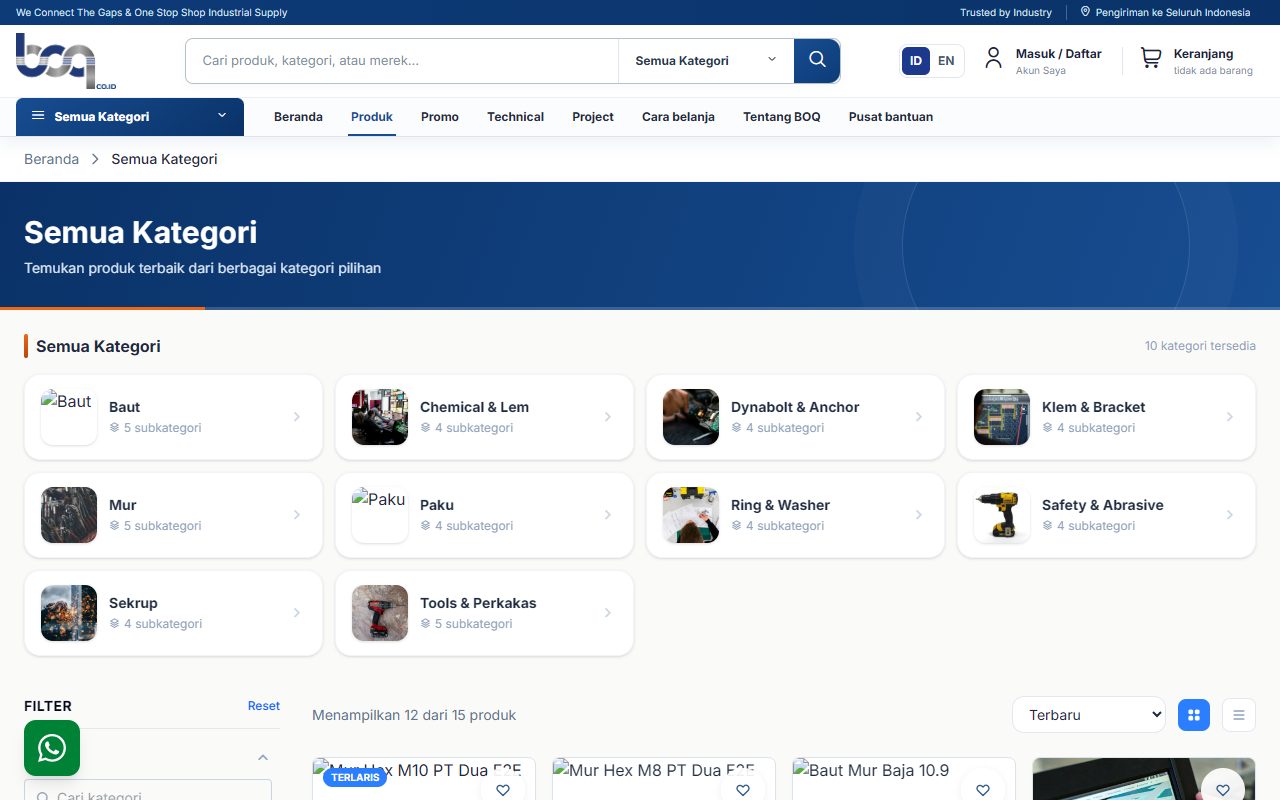
1. Find a product Use categories and filters to narrow down the products you need.
1. Find a product - Use categories and filters to narrow down the products you need.
2. Review product details Confirm the specifications, stock, price, and quantity before adding the product.
2. Review product details - Confirm the specifications, stock, price, and quantity before adding the product.
3. Review your cart Check the selected products and quantities before continuing to checkout.
3. Review your cart - Check the selected products and quantities before continuing to checkout.
4. Complete checkout Confirm the address, shipping service, and payment method before placing the order.
4. Complete checkout - Confirm the address, shipping service, and payment method before placing the order.
5. Order created successfully Save the order number and open the payment details to follow the next instructions.
5. Order created successfully - Save the order number and open the payment details to follow the next instructions.
6. Track your order Enter your email and order number to view payment and shipping updates.
6. Track your order - Enter your email and order number to view payment and shipping updates.

Have another question?

Our team can help with orders, products, payments, and shipping.

Visit the Help Center